 Email for macOS · Beta
Every inbox you run, in one calm window.
ClerkMail is a fast, native Mac email client for people who juggle many accounts. Group them into workspaces, find anything in seconds, and let AI agents like Claude help, only where and how you allow. Your mail stays on your Mac.
Free during the beta · macOS 15 Sequoia or later · Apple silicon and Intel
Built for many accounts
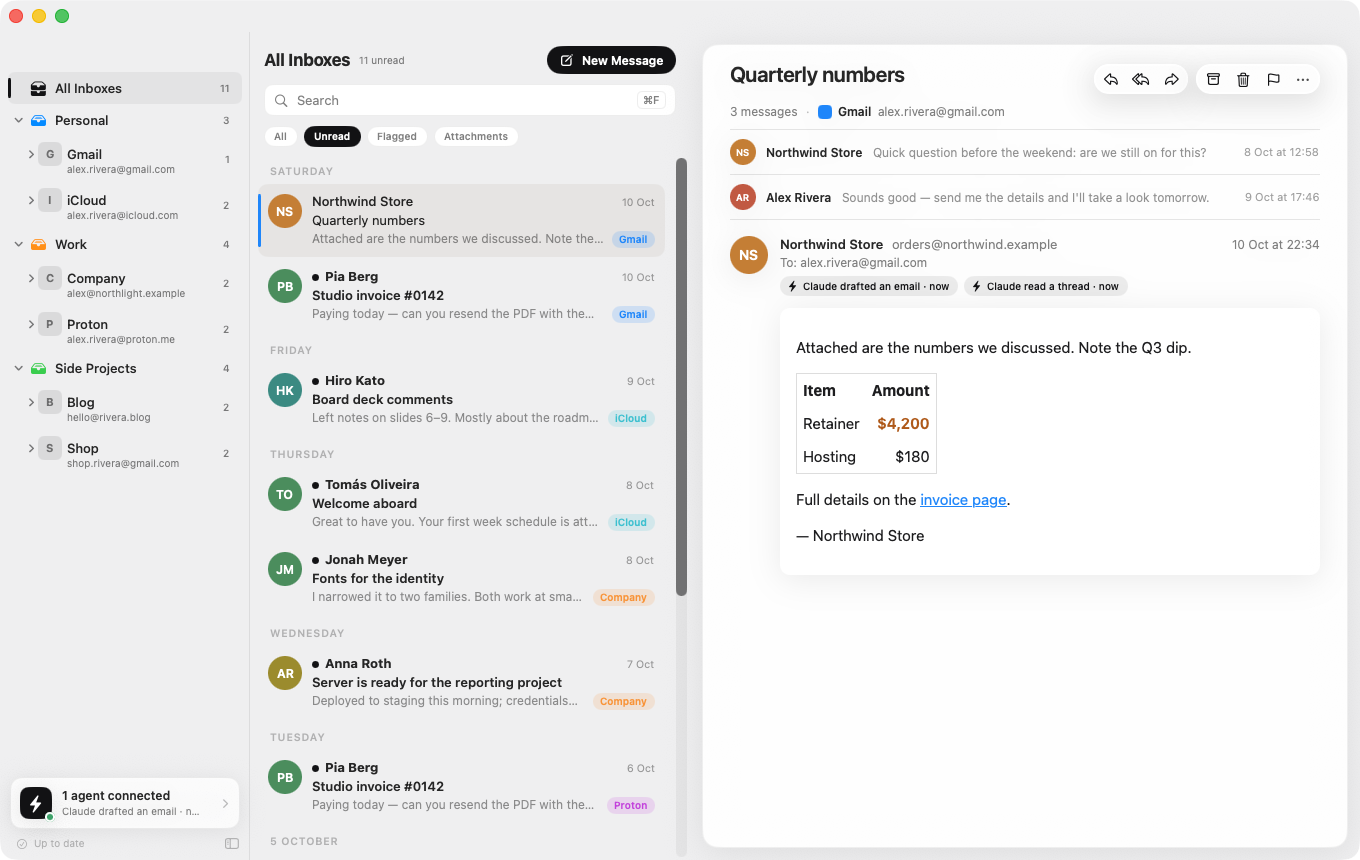
Personal, work, every side project and client: ClerkMail keeps them apart where it matters and together where it helps.
Workspaces
Group accounts by project or client. Each workspace has its own unread count, notifications and colour, and All Inboxes brings everything together.
Gmail, IMAP and Proton Mail
Sign in to Gmail with Google, add any IMAP account (iCloud, Fastmail and others are set up for you), and use Proton Mail through Proton Mail Bridge.
Search everything
Instant search across every account on your Mac, plus a search of the full message text on your mail servers when you need to go deeper.
Native and light
Written in Swift for macOS. New mail arrives the moment the server has it, and the app stays light on memory and battery even with hundreds of thousands of messages.
Rules and Send Later
File, mark, flag or delete new mail automatically, and schedule messages to go out at the right moment.
Keyboard first
A command palette and shortcuts for everything: reply, archive, move, search and jump between accounts without the mouse.
Bring your history
Sync everything, even decades of mail, and import accounts, filters and local mailbox files from Thunderbird or any .mbox export.
A proper composer
Rich text, attachments by drag and drop, signatures per account, drafts saved to your server, and Gmail labels where you expect them.
Calm by design
Mute an account or workspace for an hour or for the day, see who wrote at a glance, and read in light or dark mode.
Let Claude help with your mail, without handing over the keys.
ClerkMail speaks the Model Context Protocol (MCP), so assistants such as Claude Desktop and Claude Code can search, summarise and draft replies for you. You decide exactly what each agent may do.
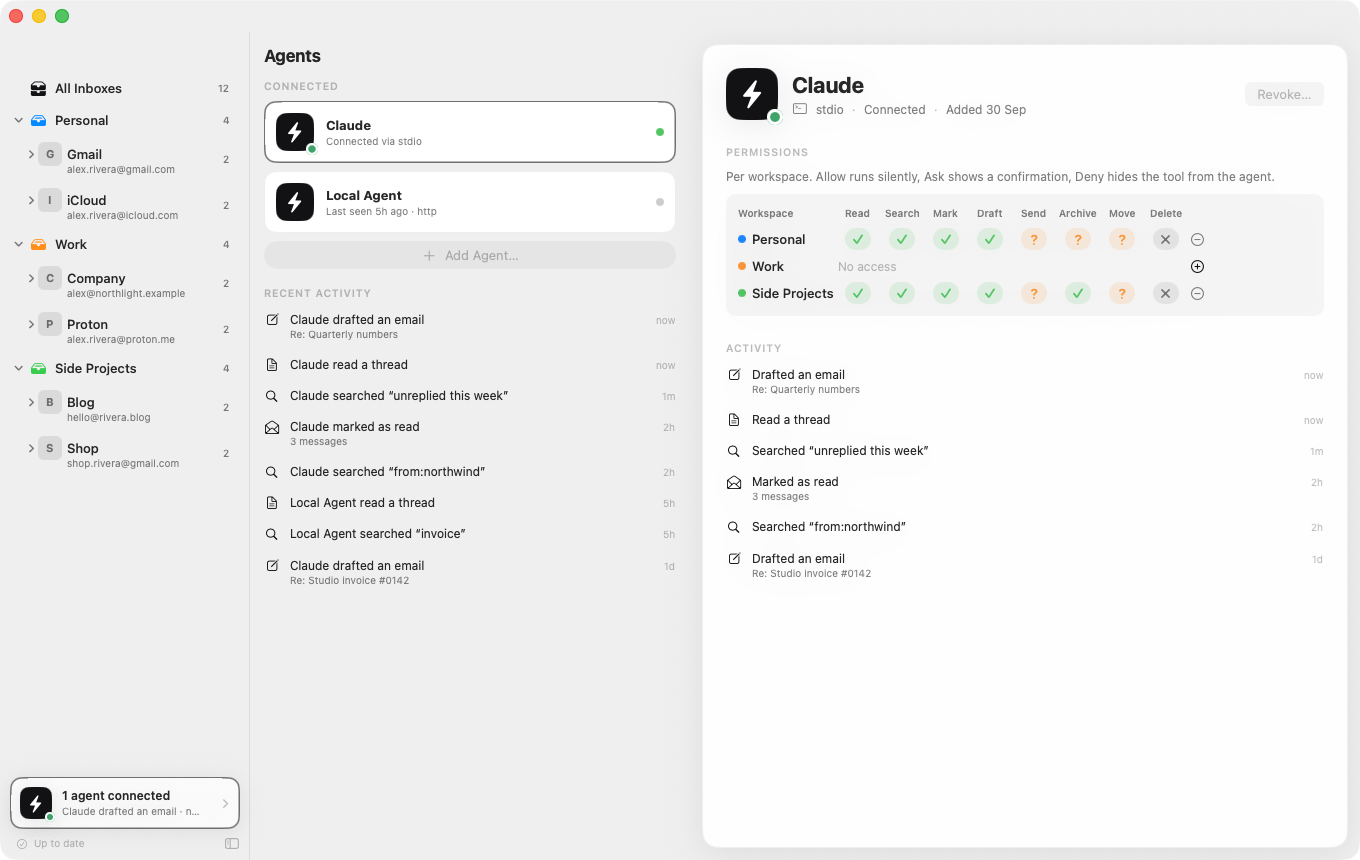
- Per workspace permissions. For every agent and workspace, allow, ask or deny reading, searching, drafting, sending, archiving, moving and deleting.
- Ask first. Anything set to ask opens a ClerkMail window showing exactly what will happen, such as the recipients and text of an email, and nothing happens until you approve.
- A full record. Every request an agent makes is logged, and drafts it wrote are marked so you always know who did what.
- Local only. Agents connect on your Mac with a token you issue and can revoke at any time. Nothing goes through a ClerkMail server, because there isn't one.
Private by design
ClerkMail is an app, not a service. It talks directly to your mail providers from your Mac. We never receive, store or see your email.
Stays on your Mac
Messages are kept in a database on your Mac. Passwords and sign-in tokens are kept in the macOS Keychain.
No tracking
No analytics, no advertising, no telemetry and no accounts with us. The app doesn't report what you do.
Images on your terms
Remote images in emails, often used to track when you open a message, stay blocked until you choose to load them.
ClerkMail and your Google account
When you add a Gmail account, ClerkMail asks Google for permission to read, compose, send and delete your Gmail (the https://mail.google.com/ permission) and to see your email address. As a full email client, it uses that access only to do what you ask of it in the app: download and show your mail, keep it in sync, send your messages, and file, label or delete them when you tell it to.
Your Gmail data goes directly between your Mac and Google. It is never sent to us, never sold, never used for advertising and never used to train AI models. ClerkMail's use of information received from Google APIs adheres to the Google API Services User Data Policy, including the Limited Use requirements. The details are in our Privacy Policy.
Questions
Is ClerkMail free?
Yes, ClerkMail is free while it is in beta. If paid plans are introduced later, they will be announced in advance and nobody will be charged without choosing a plan.
Which email accounts does it work with?
Gmail and Google Workspace accounts through Google sign-in, any provider that offers IMAP and SMTP (iCloud, Fastmail, your own domain and many more), and Proton Mail through Proton Mail Bridge.
Do you have access to my email?
No. ClerkMail has no servers that handle mail. Everything is downloaded to and stored on your Mac, and only you, and agents you choose to connect, can reach it there.
Do I need an AI agent to use it?
No. ClerkMail is a complete email client on its own. Agents are optional, and none can connect until you create one in the Agents screen.
Which agents work with ClerkMail?
Any agent that speaks the Model Context Protocol, including Claude Desktop (installed with one click) and Claude Code. Agents that connect over HTTP can use a local address on your Mac.
How do I remove ClerkMail's access to my Google account?
Remove the account in ClerkMail, which deletes its mail from your Mac, and revoke access at any time in your Google Account under Security › Third-party apps with account access.
What does it need to run?
A Mac with macOS 15 Sequoia or later. ClerkMail runs natively on both Apple silicon and Intel Macs.
Join the beta
ClerkMail is in private beta. Tell us which email providers you use and we'll send you a download link.